
Introduction
Description
This free lab is great for Data Engineers, Data Scientists and AI Engineers.
Exasol is a massively parallel analytical database built for speed. This course gives you a practical, hands-on introduction to running AI and machine learning directly inside it. No external services, no data exports, everything on your own infrastructure.
You will deploy Exasol Personal on AWS, design high-performance tables, write Python UDFs (user defined functions) that execute custom logic inside the database, train and deploy a scikit-learn model, run a Hugging Face language model from SQL, and experience a conversational BI interface using MCP and a local LLM.
By the end, you will know how Exasol fits in a modern data architecture and how to use it as a full in-database AI and ML platform.
What You’ll Learn in This Course
What is MPP and How Does It Work?
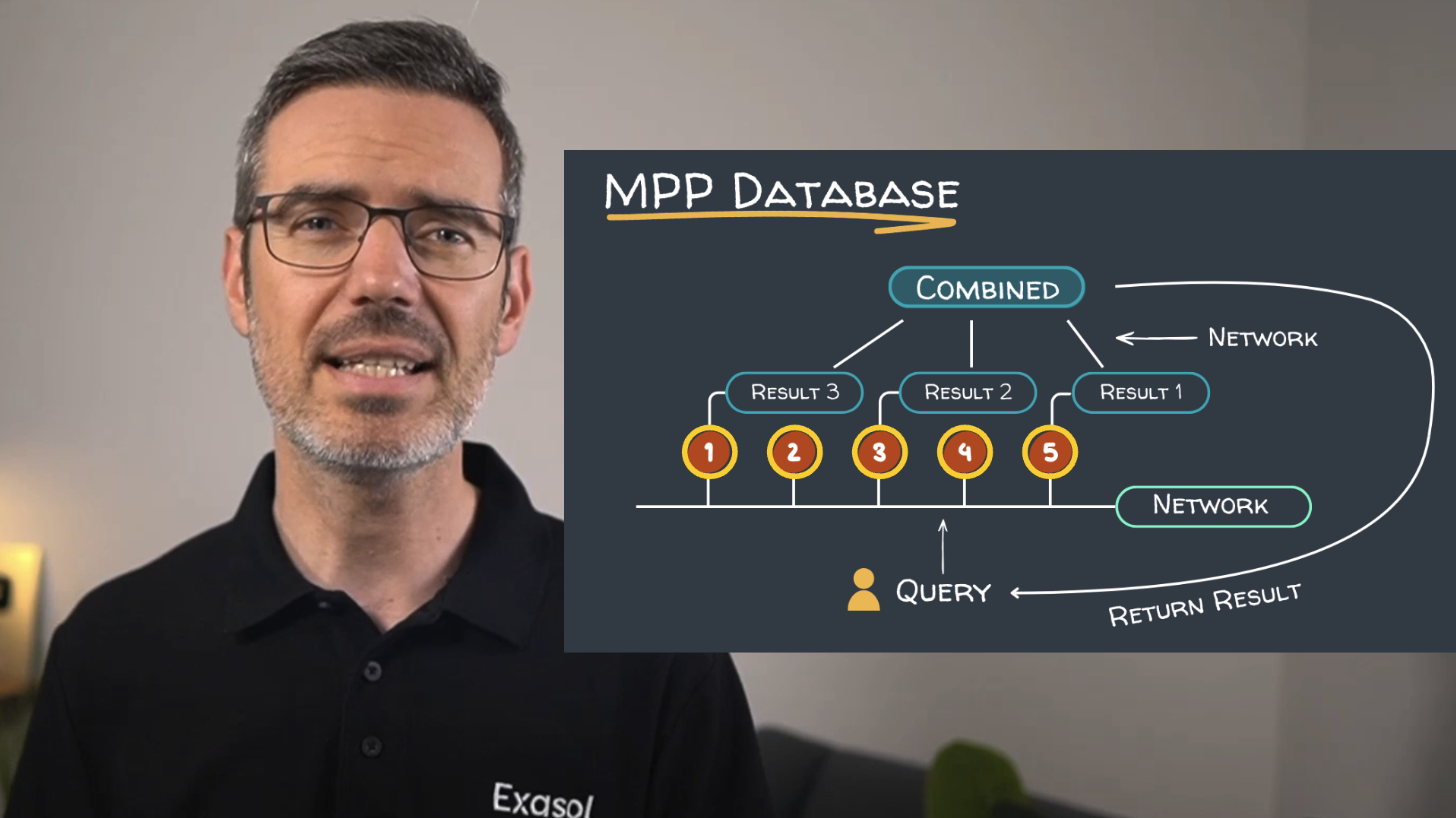
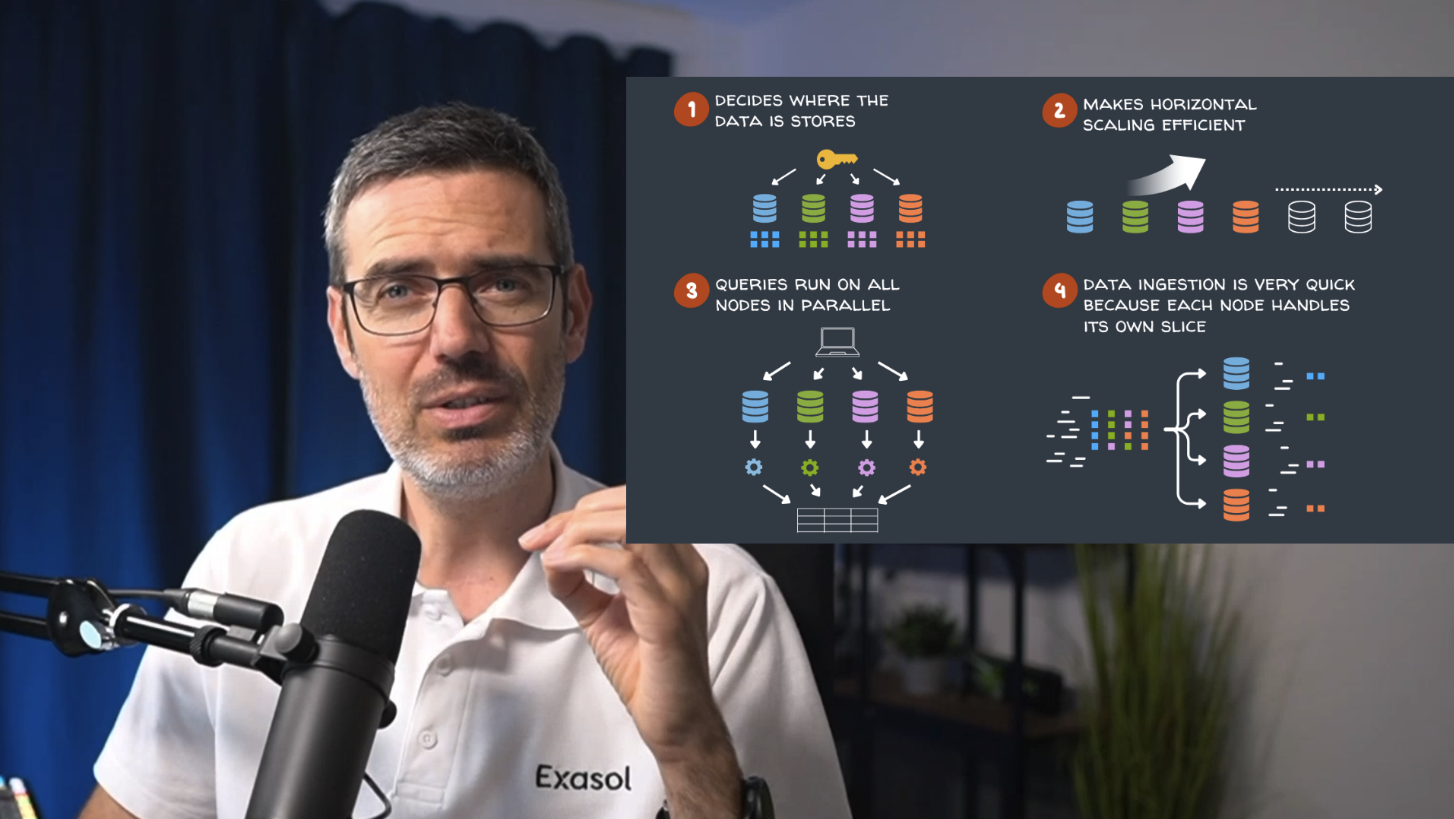
You will start by understanding the MPP (massively parallel processing) architecture that makes Exasol fast. Instead of one machine handling everything, the work spreads across nodes, each processing its slice of the data in parallel. More nodes, more throughput. That is horizontal scaling in practice.
You will also see where Exasol fits in a modern data architecture: either as a full replacement for a slow or expensive data warehouse, or as a high-performance layer that accelerates the most demanding analytical workloads alongside your existing stack. Cost, speed, and data sovereignty are the three reasons teams reach for it over managed cloud alternatives like Snowflake or BigQuery.
Setting Up Exasol Personal on AWS
You will deploy Exasol Personal on your own AWS account using the Exasol Launcher. One command provisions everything: EC2 instance, networking, storage. Then you will connect via DB Visualizer, explore the admin UI, and load a real dataset of 48 million New York City taxi trips to work with throughout the course.
Distribution Keys, Partition Keys & Cluster Scaling in Exasol
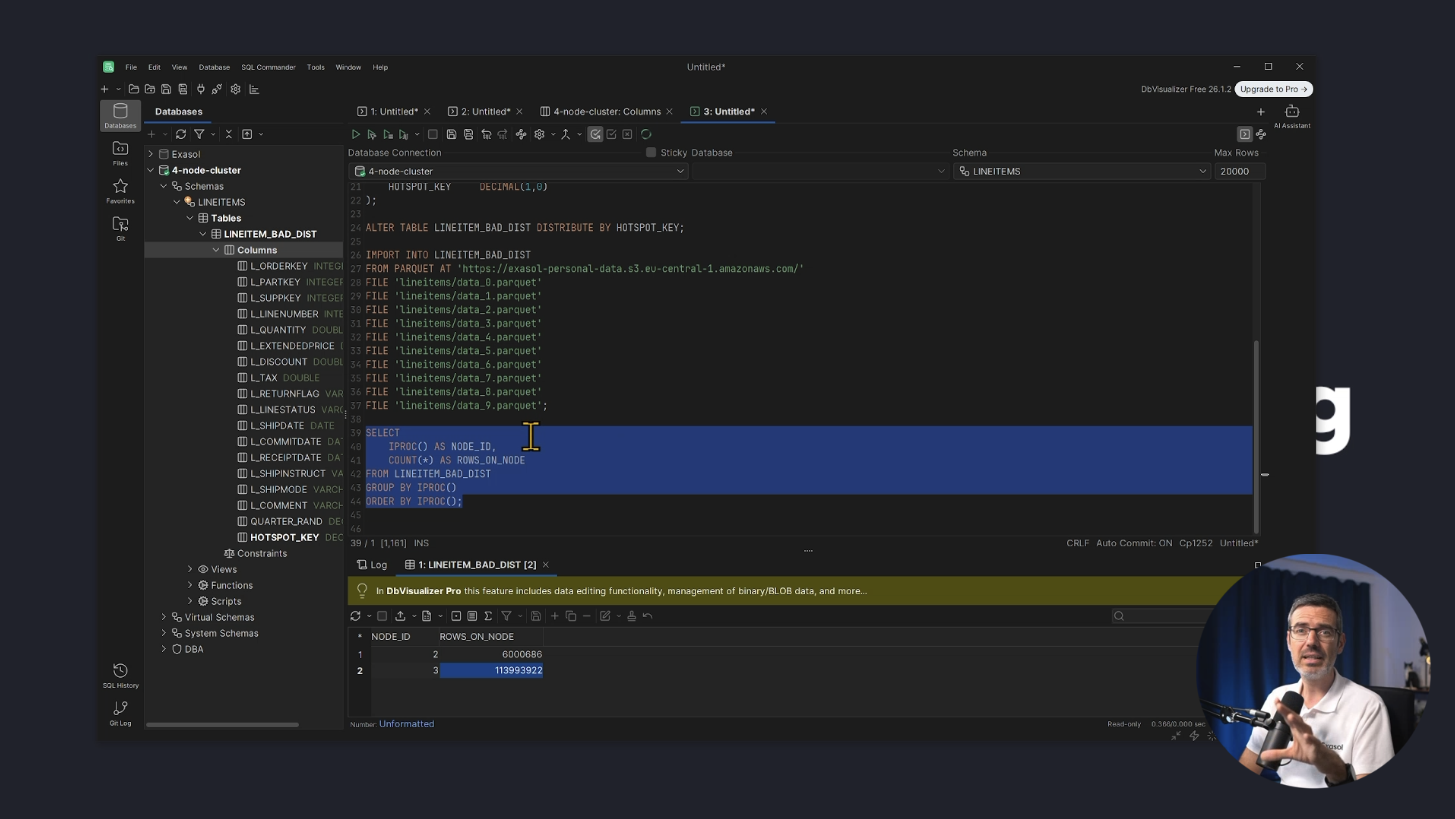
You will learn the two decisions that matter most in Exasol: the distribution key, which controls how rows spread across nodes, and the partition key, which controls how data is sorted within each node. Filter on a partitioned column and Exasol skips everything that does not match. Less data processed, faster results. You will also learn why you do not need to manage indexes in Exasol, the engine handles that automatically based on your query patterns.
You will then run the same query on a one-node and a four-node cluster and see roughly three times the performance difference on the TPC-H dataset at 10 GB scale. Finally, you will learn how to structure queries to align with Exasol's execution model so you get consistent performance without manual tuning.
Running Python Inside the Database with User-Defined Functions
You will learn how Script Language Containers work in Exasol and write Python UDFs that run directly inside the cluster. In the hands-on example, you will call a live financial API from inside a UDF, combine that real-time data with records already in the database, and get the result back as a standard SQL result set. No ETL pipeline, no external script. One SQL query.
Training a scikit-learn Model & Running Predictions from SQL
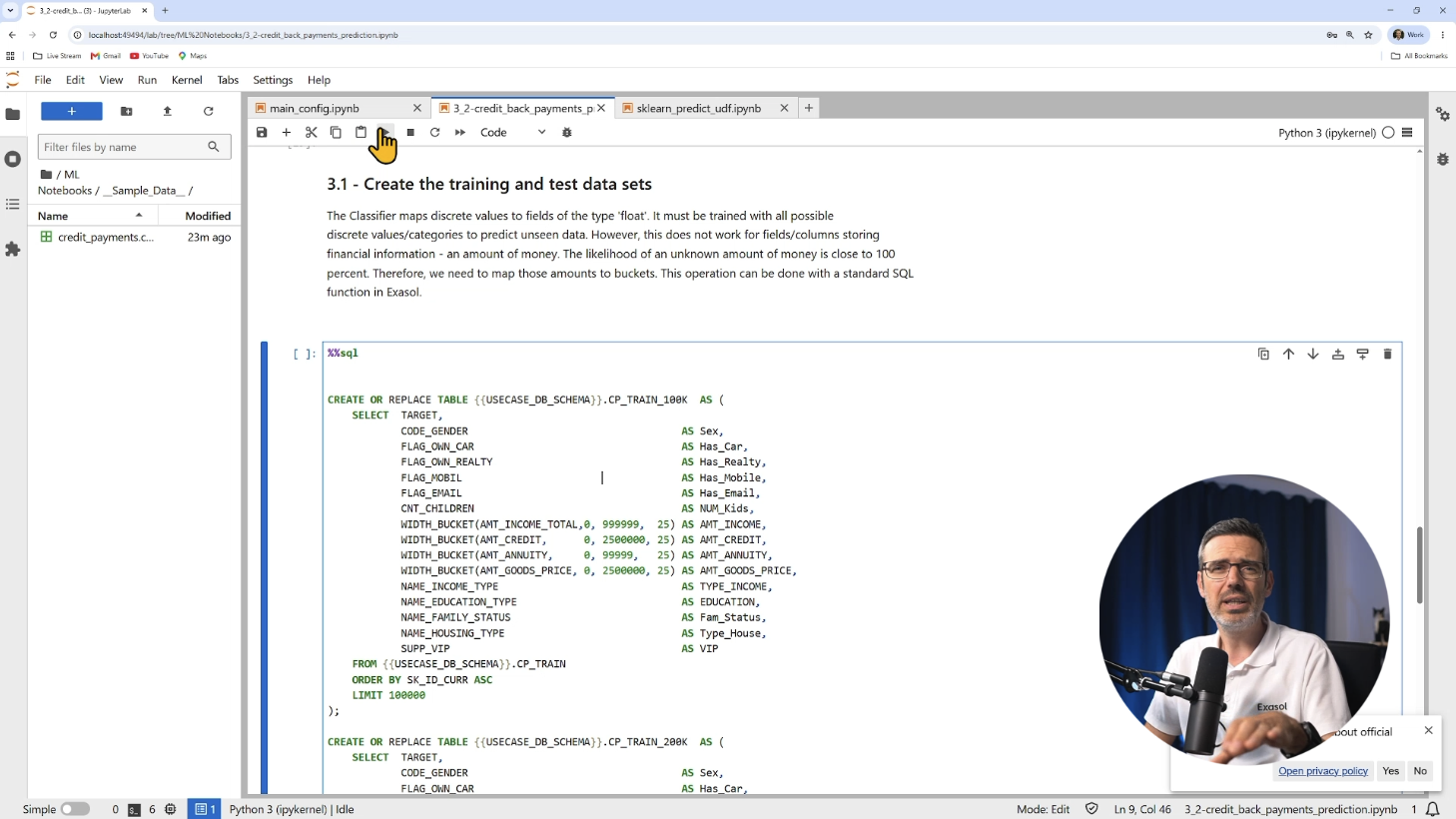
You will train a scikit-learn credit payment classifier inside the AI Lab, Exasol's Dockerized Jupyter environment for ML workflows. You will upload the trained model to BucketFS and run predictions directly from SQL using Exasol's WIDTH_BUCKET function for preprocessing. The full pipeline stays inside the database.
Text Classification with a Hugging Face Model Inside Exasol
You will load a Hugging Face zero-shot classification model into BucketFS and classify text documents from SQL. Zero-shot means you define the categories at query time, no retraining needed. The model runs on your own cluster and your data never leaves your infrastructure.
Natural Language Queries with MCP & a Local LLM
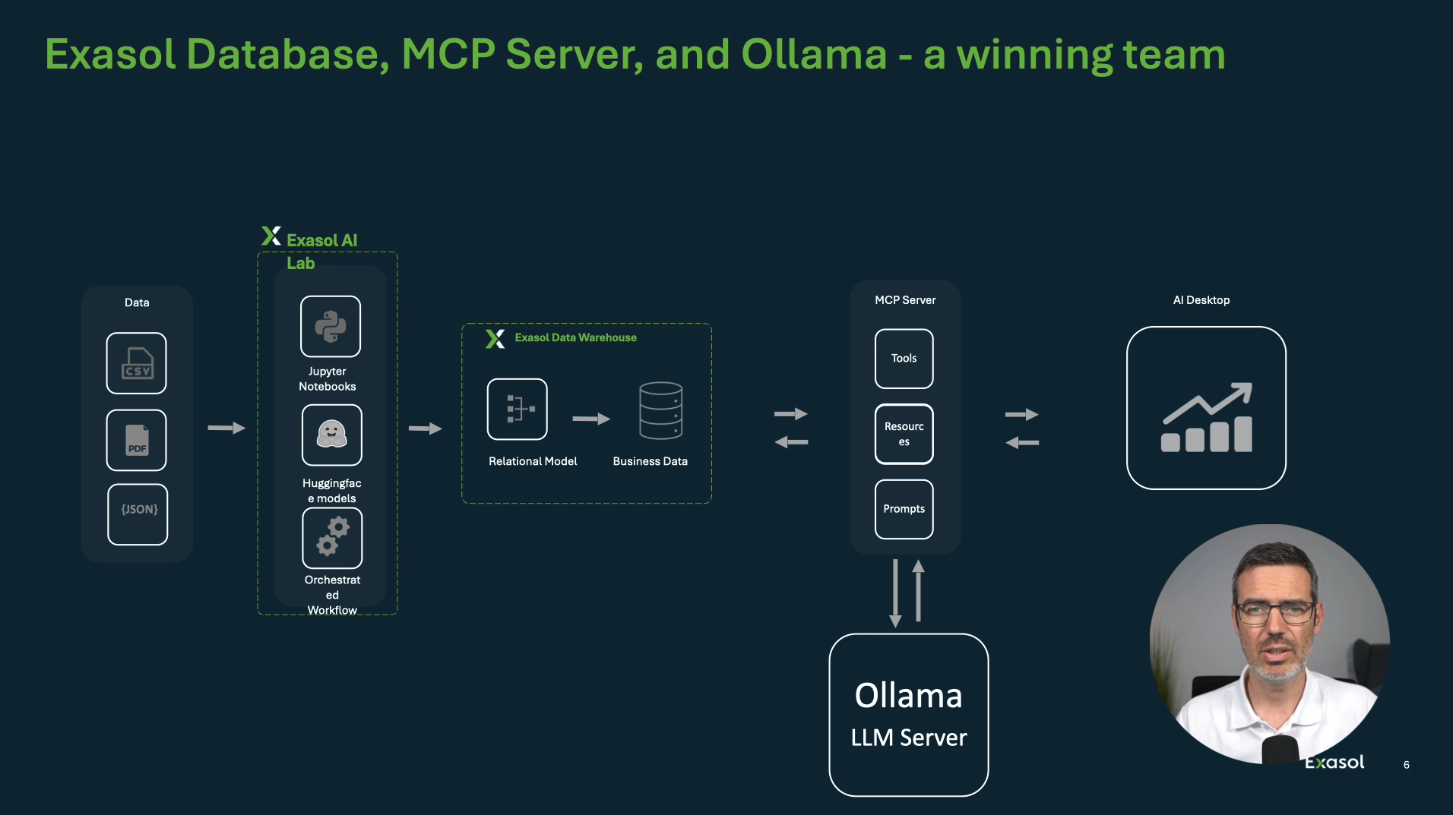
You will see a full natural language interface built on top of Exasol using the Model Context Protocol. You type a question in plain English, an MCP server translates it to SQL, Exasol runs it, and a local LLM via Ollama prepares the response. The MCP server also maintains a vector database of past question-to-SQL translations, so the system gets smarter over time. Everything runs locally on your own infrastructure.
Who This Course is For
This course is for software engineers, data engineers, and data scientists or AI Engineers who want to run machine learning and AI directly where their data lives, without relying on external ML platforms or cloud services.
Specifically, this course is for those who want to:
- Understand where Exasol fits in a modern analytics architecture
- Design high-performance tables with the right distribution and partition keys
- Use Python UDFs to extend database logic and call external services from SQL
- Train and deploy ML models and run LLM inference directly inside the database
- Build a fully local conversational BI setup with MCP and Ollama
No prior experience with Exasol is required. You need an AWS account though.
I'll teach you everything step by step while working with realistic datasets throughout the course.
Curriculum
Start Now:
High-Performance Data Analysis with Exasol is included in our Free Labs Bundle.