
Introduction
Description
This free lab is great for Data Engineers, Analytics Engineers, and AI Engineers.
Databricks can tell you exactly what failed in your data-quality checks. What it can't tell you is why it matters, who owns it, or what to do about it. This course gives you a practical, hands-on way to close that gap, using Zapier to connect your Databricks run data with a human-maintained runbook, so every failure comes with an owner, a severity, and a fix attached.
You will set up a Databricks table of pipeline check results and a Google Sheets runbook, build a Zapier MCP server that hands Claude those tools directly, build a conversational chat app with Streamlit, then move into the Zapier SDK with Claude Code to build a live dashboard and an automated alerter that emails the right person the moment something breaks.
By the end, you will understand the difference between an AI agent that reasons through tool calls and code that calls those same tools deterministically, and you will have a working system that does both.
What You'll Learn in This Course
The Problem: Why Data-Quality Checks Fire Into the Void
You will start by looking at what a real Databricks expectation result actually contains, fifteen columns per check, run status, failure counts, error samples, and see why that data on its own is nearly useless. It has no ownership and no context. You will then see how joining it to a runbook on a shared expectation name turns a meaningless row into something actionable: a severity, an owner, a Slack channel, and remediation steps. You will also learn the three layers Zapier gives you to solve this, standard Zaps, the MCP server, and the SDK, and when each one is the right tool.
How MCP Actually Works
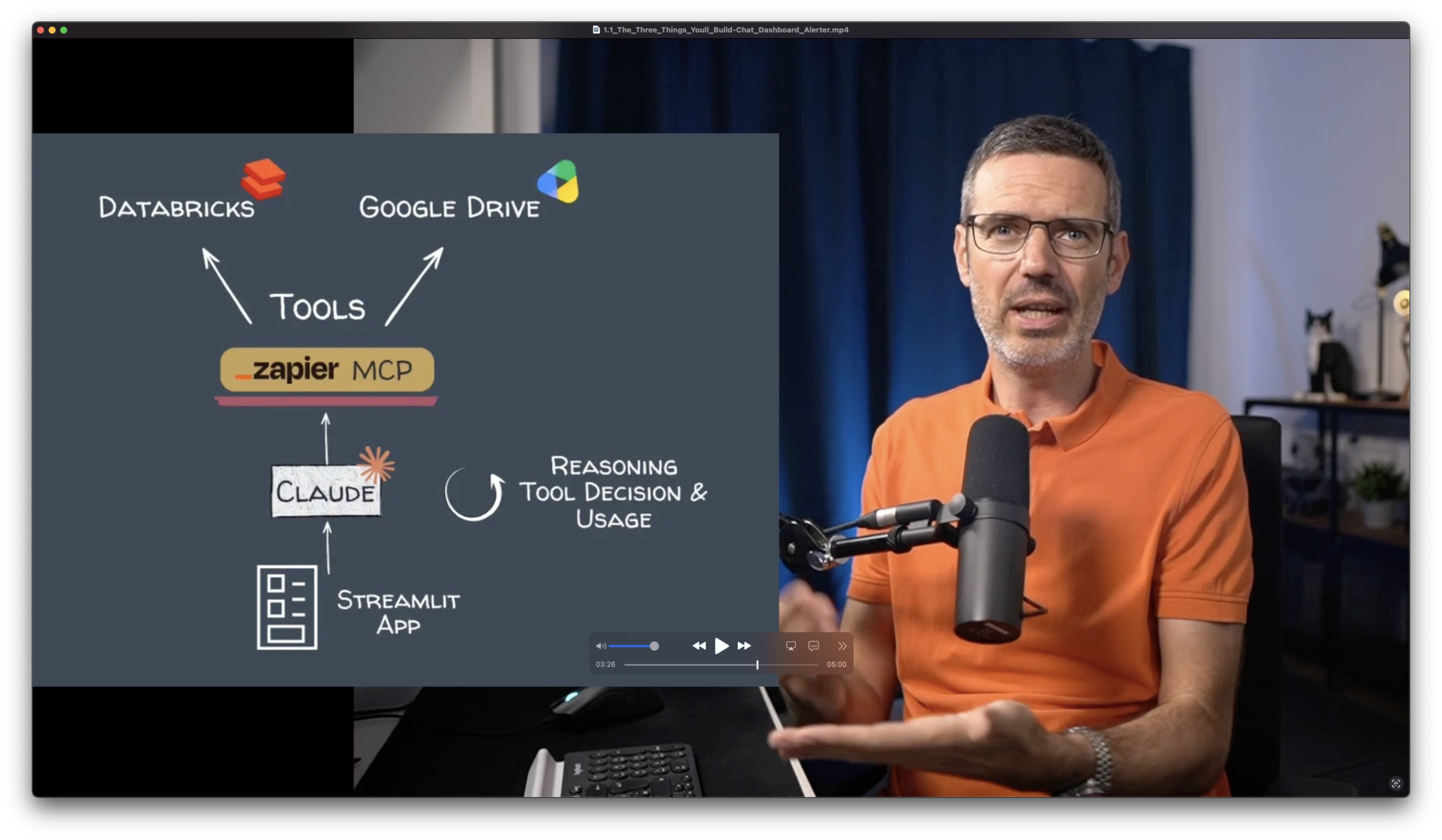
Before building anything, you will get a clear, practical mental model for the Model Context Protocol, what a tool actually is, how a model decides which one to call, and why the model runs that whole reasoning loop itself rather than you writing orchestration code.
Setting Up Your Data in Databricks and Google Sheets
You will import pipeline run data into a Delta table on Databricks Free Edition, create a service principal so Zapier can authenticate against it, and drop your ownership and remediation data into a Google Sheets runbook.
Building and Testing a Zapier MCP Server
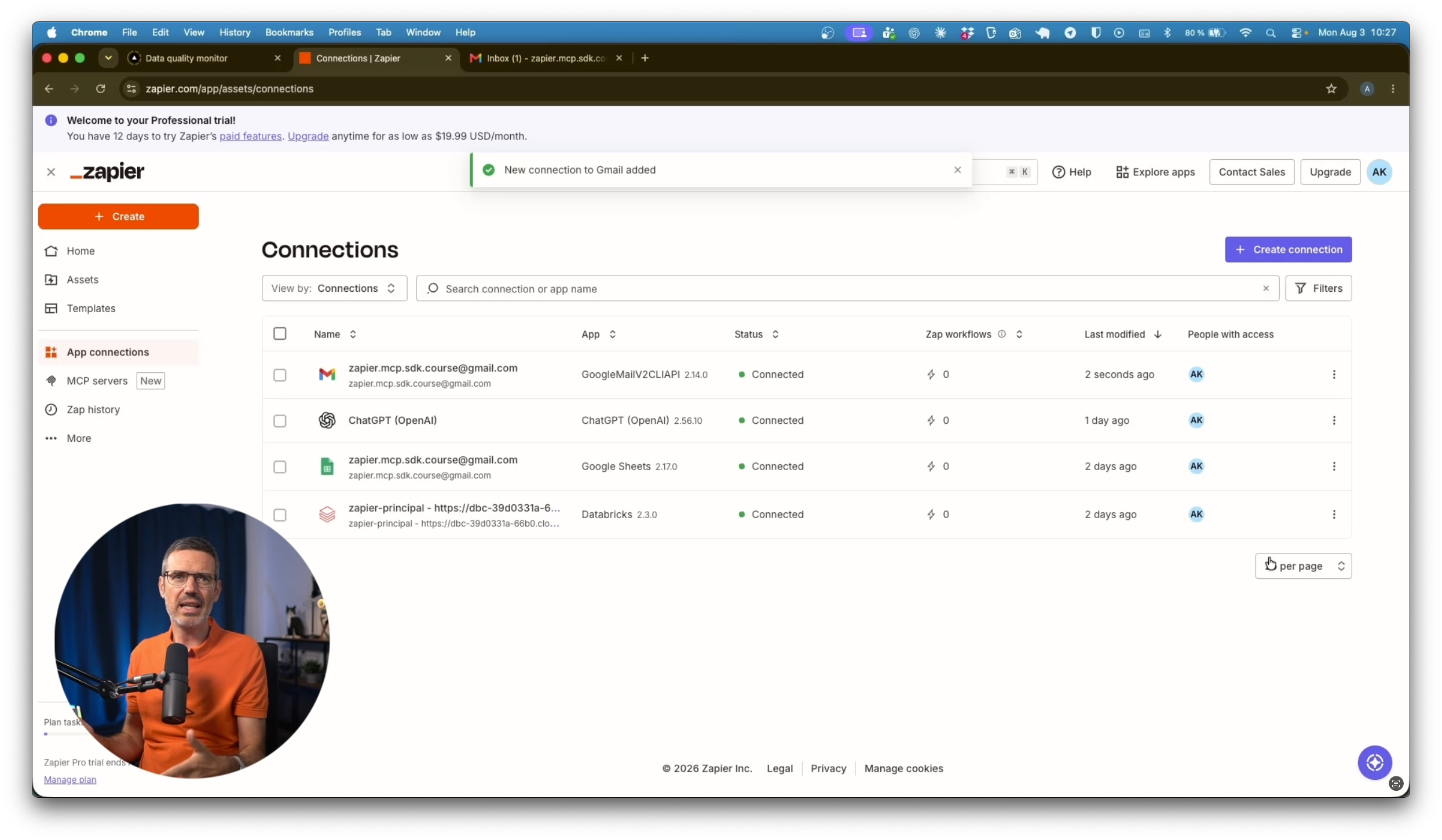
You will connect Databricks and Google Sheets to a single Zapier MCP server, exposing only the specific actions you need, and verify the whole thing works by calling it directly from the Anthropic API before writing any app code.
Building a Data-Quality Chat Agent with Claude and Streamlit
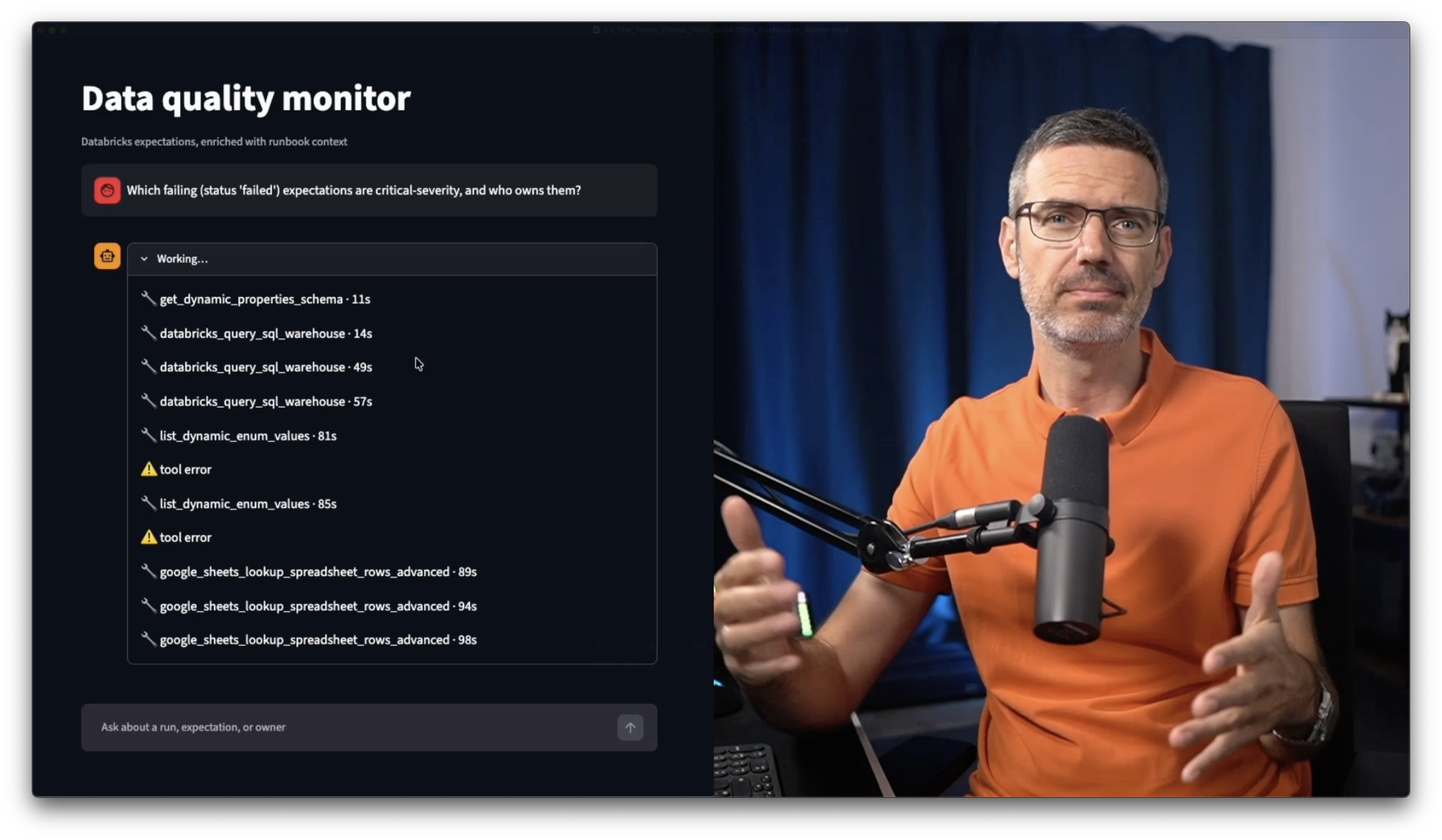
You will build a small Streamlit chat app where Claude reads your Zapier tools and runs the full tool-calling loop itself, answering questions like "what failed today?" or "who owns the payment check?" in plain language, with no orchestration framework required.
Adding Another AI Model as a Tool
You will connect ChatGPT to your MCP server as another callable tool, so your Claude-driven agent can hand off a summarization step to a different model, with a built-in fallback if that connection isn't available.
Meet the Zapier SDK
You will set up the Zapier SDK using Claude Code from a plain-language prompt, no OAuth flows or token handling required, and learn how to explore what each of your connections can do directly from the CLI.
Building a Data-Quality Dashboard
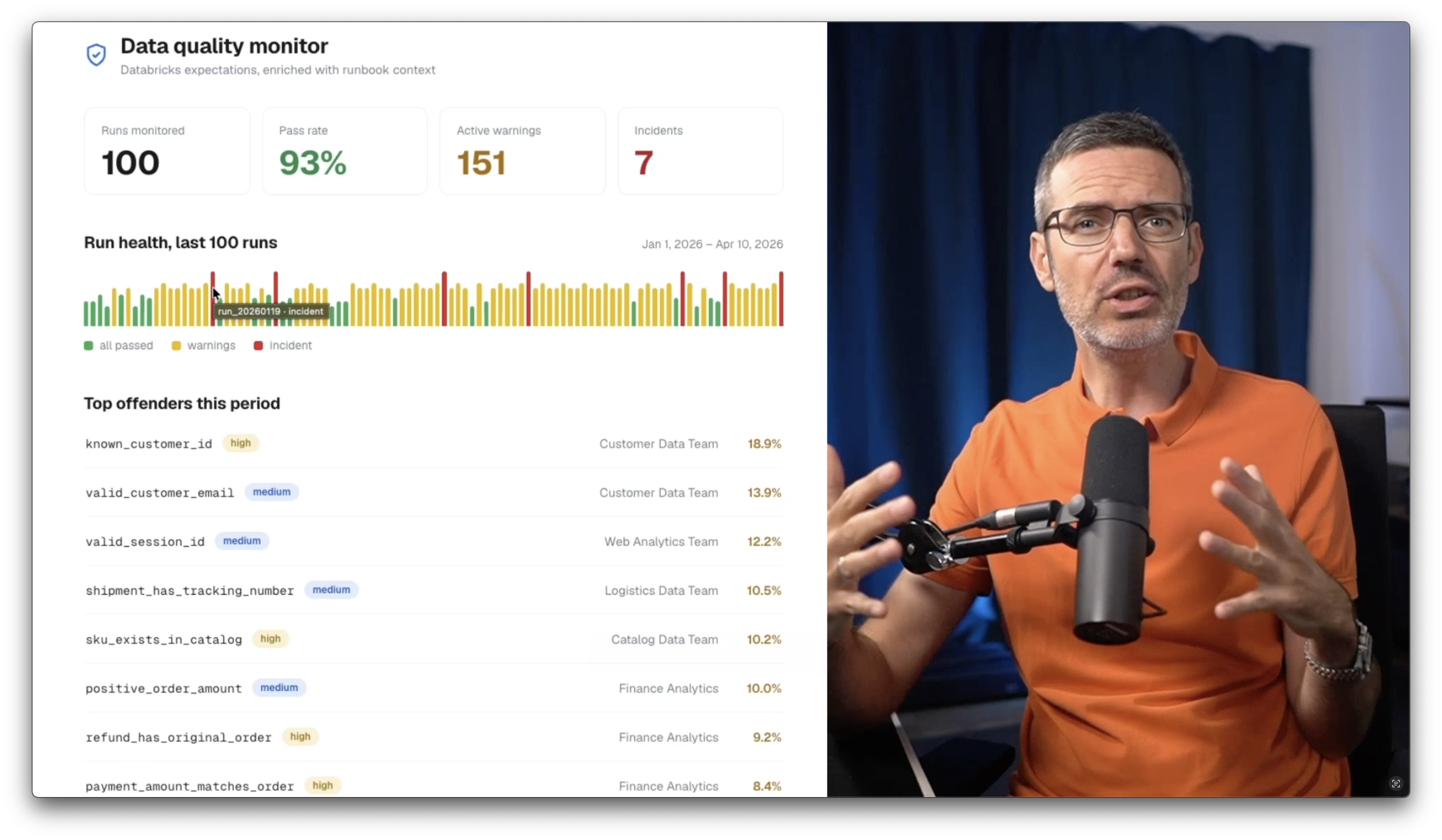
You will walk through a React and Next.js dashboard that pulls run metrics and runbook context through the SDK in parallel, joins them in code, and displays your data-quality health at a glance, all while keeping your Zapier credentials safely on the server.
Building an Alerter That Emails the Right Owner
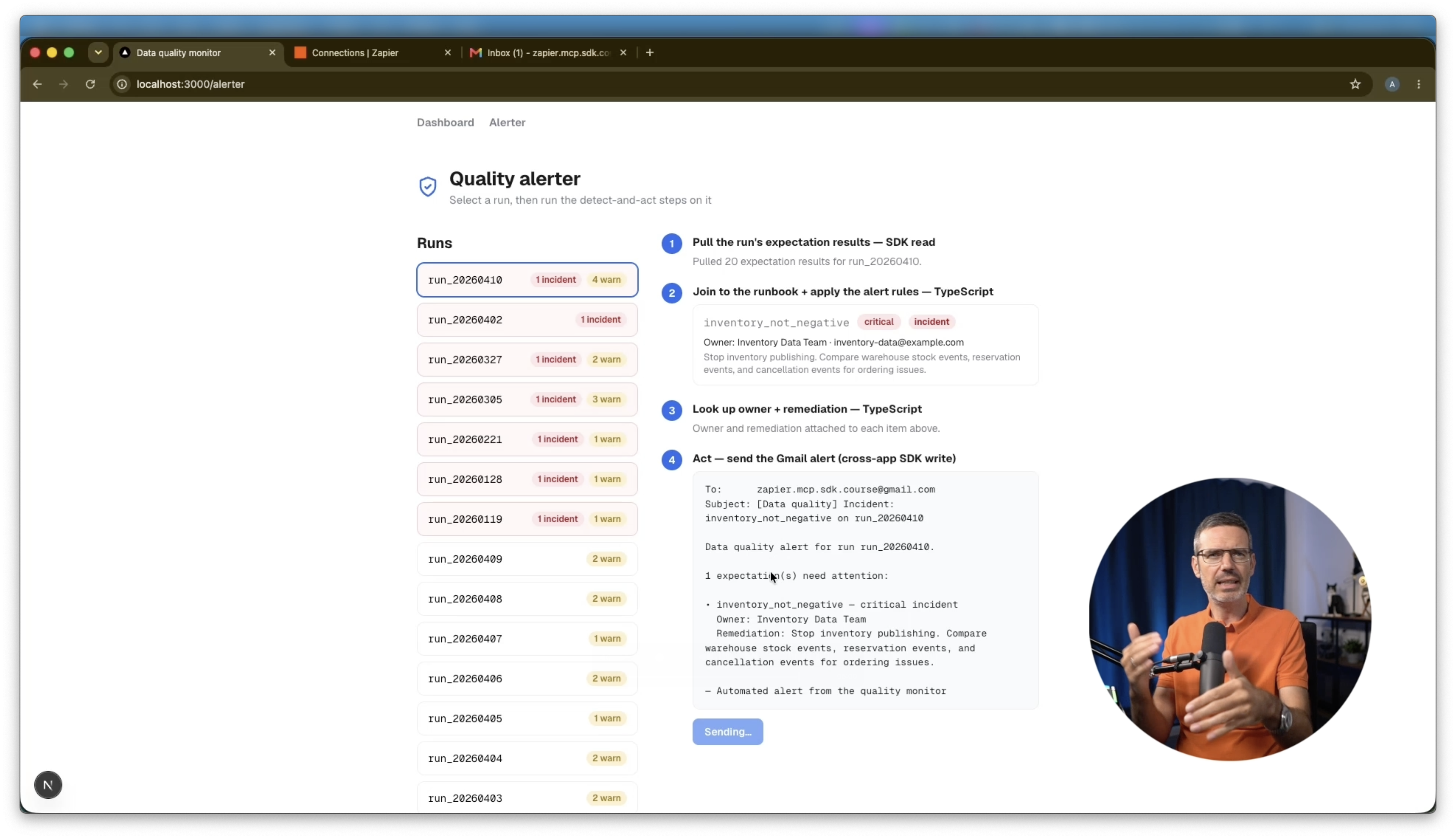
You will build a four-step alerter: read the run data, join it to the runbook, resolve the owner, and send a Gmail alert, with a safe preview mode by default and a deliberate opt-in before anything actually sends. You will connect Gmail, discover the exact action to call from the CLI, and watch a real incident land in an inbox end to end.
Who This Course is For
This course is for data engineers, analytics engineers, and AI engineers who want to turn raw data-quality signals into something a team can actually act on.
Specifically, this course is for those who want to:
- Understand when to use an AI agent that reasons through tool calls versus code that calls tools deterministically
- Connect Databricks to other tools like Google Sheets and Gmail without writing custom integrations
- Build a working conversational agent on top of the Model Context Protocol
- Use the Zapier SDK to build durable, production-style applications with Claude Code
- Go from a failed check to an automated, owner-routed alert
No prior experience with Zapier is required. You need free accounts on Databricks, Zapier, and Google Sheets, plus a small amount of Anthropic API credit.
I'll teach you everything step by step while working with a realistic data-quality dataset throughout the course.
Curriculum
- 2.1 Load the Run Results into Databricks and the Runbook into Google Sheets (5:51)
- 2.2 Build One MCP Server for Both Sources and Test It Before Any App Code (11:23)
- 2.3 Build the Streamlit Chat and Let Claude Run the Tool Calls (9:16)
- 2.4 Add ChatGPT as a Zapier Action and Have Claude Call It (6:45)
- 3.1 Explore Your Connections with the CLI, Then Set Up the SDK with Claude Code (5:24)
- 3.2 Build the Dashboard That Pulls Your Run Metrics Through the SDK (7:30)
- 3.3 Build the Quality Alerter: Join Each Failure to Its Owner (5:55)
- 3.4 Send a Real Gmail Alert to the Owner with Remediation Steps (4:33)
Start Now:
Databricks Data Quality Monitoring with Zapier is included in our Free Labs Bundle